Printing Guide
How to Print Your Book — From Manuscript to Copies in Your Hands
Writing a book is one achievement. Holding the finished book in your hands is another.
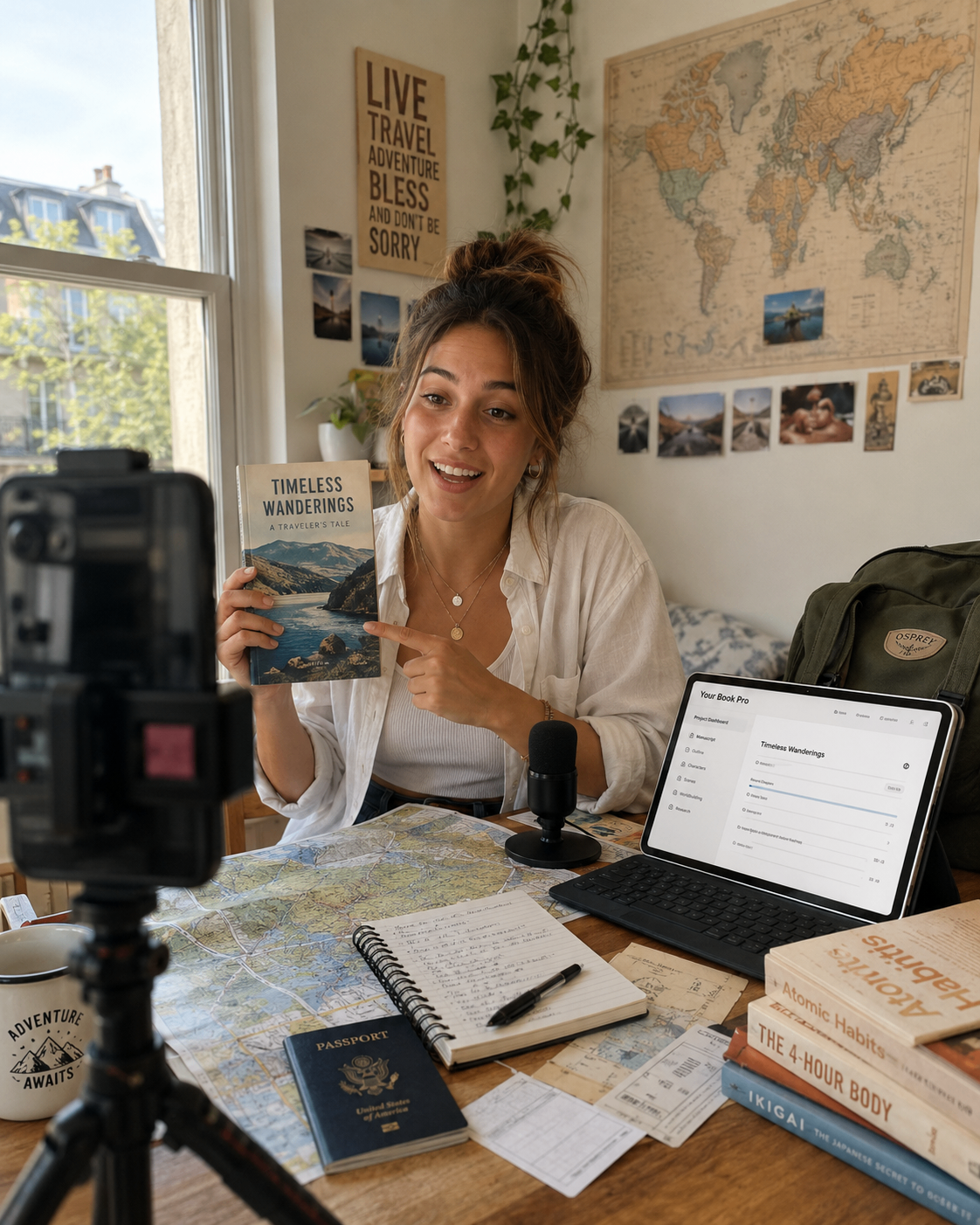
Authors often assume printing means finding a separate designer, formatter, typesetter and printer — then trying to make several different systems work together. A small mistake in the page size, cover dimensions or spine width can result in rejected files, unexpected costs or a book that does not look the way you imagined.
Your Book Pro is designed differently.
It helps you move from your first idea to a properly prepared printed book through one connected process. You can plan, write, dictate, edit, structure, prepare and print your book without having to rebuild the project somewhere else.
For many authors, the best place to begin is not with thousands of copies. It is with a small print run.
That might mean one proof copy, ten books for family and friends, twenty copies for an event, or fifty copies for a private audience. You can see the physical result, test the format and decide what to do next without committing to a large order.
What is a small print run?
A small print run is a limited order of printed books, usually intended for a particular purpose rather than mass retail distribution.
You might order copies to:
- check how your finished book looks and feels
- share a memoir with relatives
- give advance copies to reviewers
- provide books to contributors or interviewees
- sell or distribute copies at a private event
- use a book during a course, workshop, sermon series or talk
- test different formats before publishing more widely
With Your Book Pro, you can prepare an order of between 1 and 50 private copies.
These copies are not automatically listed on Amazon, placed in bookshops or distributed to retailers. That is a separate publishing process involving decisions such as ISBNs, retail pricing, distribution and sales channels.
Small-run printing gives you a practical first step.
Why begin with a small number of copies?
Traditional offset printing can make each copy cheaper, but it usually requires a large order. That creates a risk: you may spend a significant amount before knowing whether the size, cover, paper and interior are right.
Print-on-demand production allows each book to be manufactured individually. This makes small orders possible without storing hundreds of copies.
A smaller run lets you:
- inspect the physical book before committing further
- identify formatting or design changes
- compare paperback and hardback options
- test colour against black-and-white interiors
- gather feedback from trusted readers
- avoid paying for books you may not need
- order again later when you are ready
The first copy will generally cost more per book than later copies because the setup and production costs are concentrated into a single item. Ordering several copies can reduce the average cost, but you remain in control of the quantity.

A genuinely end-to-end process
Some services describe themselves as end-to-end when they simply send you to an external printer after generating a PDF.
Your Book Pro connects the stages.
The same book project can move through:
- planning and writing;
- transcription and manuscript import;
- structuring and editing;
- genre-specific editorial guidance;
- cover and blurb preparation;
- page-size and print-file generation;
- printer validation;
- quotation and ordering;
- delivery updates.
Your manuscript does not need to be copied into a separate book-building system at the final stage. The information already associated with your book — including its title, genre, page size, cover and prepared interior — continues into the printing process.
That reduces duplication and helps prevent inconsistencies between the manuscript you edited and the version that gets printed.
Who prints the books?
Your Book Pro provides the customer-facing writing, preparation, pricing and ordering experience.
The physical print-on-demand manufacturing and fulfilment are provided through Lulu, our specialist printing partner.
Lulu operates a global printing network with facilities in:
- the United Kingdom
- the United States
- Canada
- France
- Australia
- India
Where possible, an order is allocated to a suitable printing facility close to its delivery destination. The final production location can also depend on the book's size, binding, page count, colour choice, quantity and other manufacturing requirements.
Authors do not need to create a separate Lulu account or upload their book again. Your Book Pro passes the approved print files and order specification through the connected printing workflow.
Step 1: Finish the manuscript
Printing starts with the book itself.
Your Book Pro can help you create your manuscript from:
- typed writing
- voice dictation
- uploaded recordings
- podcast or interview material
- lectures, talks or sermons
- rough notes
- an existing manuscript
You can then organise chapters, revise the structure and use editorial feedback tailored to the type of book you are writing.
A novel needs different preparation from a children's picture book. A memoir has different expectations from a textbook, graphic novel or leadership book. Your Book Pro carries that genre context through the writing and preparation process.
Before printing, read through the manuscript carefully. A printed proof is useful for catching final issues, but it is still better to resolve obvious mistakes first.

Step 2: Prepare the book for print
A normal document is not automatically a print-ready book.
The page size affects:
- line length
- page count
- margins
- chapter openings
- image placement
- spine width
- cover dimensions
- printing cost
In the Prepare section of your book workspace, you choose a printable page size. Your Book Pro recommends an appropriate size for the book type, while still allowing you to consider alternatives.
For example:
- a novel may suit A5
- a memoir or leadership book may suit 6 × 9 inches
- a children's picture book may suit a large square format
- a graphic novel or textbook may suit US Letter
- a poetry collection may suit Digest
A4 remains useful for digital documents, but it is not offered as a print format in the Your Book Pro workflow.
Once you prepare the book, the platform creates the necessary outputs, including:
- your complete reading PDF
- the printer-ready interior
- the cover master used to create the exact print cover
Step 3: Choose how the physical book should look
You then choose the physical characteristics of the book.
The options available depend on the chosen page size and what the printer can manufacture in that format.
Binding
Choose between available formats such as:
- paperback
- printed-case hardback
- coil binding
A paperback is often the most economical and familiar choice. Hardback can feel more substantial and may suit commemorative books, premium gifts or children's titles. Coil binding is useful where the book needs to lie open, such as workbooks or teaching materials.
Inside pages
Choose between:
- black and white
- standard colour
- premium colour
Black and white is usually appropriate for novels, memoirs and text-led non-fiction. Colour may be important for children's books, travel books, textbooks, photography, diagrams or illustrated material.
Paper
The available paper depends on the binding and interior selection.
Options may include different colours, coatings and paper weights. A cream paper can create a traditional reading experience for a novel, while white or coated paper may work better for images and diagrams.
Cover finish
Choose:
- matte
- gloss
Matte can feel understated and book-like. Gloss can make colours appear stronger and may suit highly visual covers.
Rather than displaying a long catalogue of technical printer packages, Your Book Pro guides you through these decisions one at a time and shows only compatible options.
You can also see how each choice affects the estimated print price before proceeding.
Step 4: Check the files with the printer
A cover cannot be finalised until the exact page count, paper and binding are known.
Why? Because the spine width changes.
A 200-page paperback on one paper stock does not have the same cover dimensions as a 200-page hardback or a book printed on thicker paper.
Once you choose the specification, Your Book Pro:
- submits the interior for validation;
- calculates the exact cover dimensions;
- creates a cover that fits that version;
- submits the cover for validation;
- confirms whether both files are approved.
If you change the binding, paper, colour or finish after approval, the earlier validation no longer applies. The platform clears it and requires the new version to be checked again.
This protects you from ordering one specification using files prepared for another.
Step 5: Choose the quantity and delivery details
You can order between 1 and 50 copies.
The right quantity depends on the purpose.
One copy
Best for:
- inspecting a proof
- checking the layout
- assessing the cover
- marking final corrections
Two to ten copies
Useful for:
- family members
- contributors
- early reviewers
- trusted feedback readers
- personal gifts
Eleven to fifty copies
Useful for:
- events
- workshops
- courses
- churches or community groups
- launch gatherings
- a small private audience
You then enter the delivery destination, contact email and courier phone number. Delivery options and costs depend on the country, order weight and available service.
Step 6: Review one clear price
Printing costs vary according to:
- number of pages
- page size
- binding
- black-and-white or colour printing
- paper
- cover finish
- quantity
- delivery destination
- delivery speed
- applicable tax
Your Book Pro presents the customer price in four clear lines:
| Printed copies |
| Delivery |
| Estimated tax |
| Total |
The underlying printer cost and Your Book Pro's commercial calculations are handled internally. You do not need to interpret wholesale production figures or technical pricing bands.
Printed books may begin at roughly $6 for an individual copy, with delivery and applicable tax added separately. The final amount depends on your selected specification and manuscript.
The validated quotation is the authoritative price.
Step 7: Place the order
When checkout is enabled, payment will take place securely through Your Book Pro.
Your Book Pro will then place the production order through Lulu and show relevant progress and delivery updates through the connected workflow.
This means you will not need to create a separate printer account, re-enter the book details or manage a disconnected order manually.
How long does printing take?
The book must be printed and bound before it can be dispatched.
Normal production is usually expected to take approximately 3–5 business days, although the estimate shown for the individual order should be treated as the relevant one.
Delivery time is additional and depends on:
- the delivery country
- the available production facility
- the chosen shipping method
- the order size
- local carriers and customs, where applicable
Hardback books can sometimes require additional production time because of their binding and curing process.
Production and delivery dates are estimates rather than guarantees.
Does ordering copies publish the book?
No.
Ordering private copies does not make the book publicly available. It does not automatically:
- assign an ISBN
- list the title on Amazon
- distribute it to retailers
- set a public retail price
- place copies in bookshops
- create a public sales page
That distinction matters.
Printing is about producing physical copies. Publishing is about making the book available to the public and managing its commercial edition.
Many authors sensibly print a private proof first, review it and then decide whether to:
- revise the manuscript
- order more private copies
- self-publish
- approach an agent or publisher
- use a concierge publishing service
Your Book Pro supports that wider journey too, but it does not pretend that printing one copy is the same as publishing professionally.
What should you check when your proof arrives?
A physical proof can reveal things that are difficult to notice on screen.
Check:
- the overall size and weight
- whether the cover appears too dark or too light
- the alignment of the spine
- the size of the title and author name
- whether the text is comfortable to read
- inner and outer margins
- chapter openings
- page numbers
- blank pages
- images and captions
- tables and diagrams
- paragraph spacing
- widows and orphans
- the back-cover blurb
- spelling and punctuation
- whether anything appears too close to the page edge
Read at least part of the book as a reader would. Do not inspect only the cover.
Mark corrections, update the manuscript, regenerate the prepared files and validate the revised edition before ordering again.
A printed book without the usual fragmentation
The purpose of Your Book Pro is not merely to help you write a document.
It is to help you make a book.
That means supporting the complete progression:
idea → words → manuscript → edited book → prepared files → printed copies
For authors who need only a few copies, this is particularly valuable. You do not need to become a print-production specialist, place a large speculative order or coordinate several unrelated suppliers.
You can begin with one copy, learn from it and take the next step when you are ready.
Ready to prepare your book?
Explore the Your Book Pro printing process, or start writing for free and print when you are ready.
Planning to sell it publicly? Read our guide to publishing your book.
Frequently asked questions
Can I print just one book?
Yes. Your Book Pro is designed to support small orders, including a single proof copy.
How many copies can I order?
The initial Your Book Pro service supports orders from 1 to 50 copies.
Is printing included in Pro?
Access to the preparation and print workflow is available to eligible Pro, Super Pro and active Pro-trial users. The cost of printing, delivery and applicable tax is a separate one-off purchase and is not included in the subscription price.
Can I choose paperback or hardback?
Available choices depend on the book's page size and printer compatibility. Supported options can include paperback, printed-case hardback and coil binding.
Can I print a colour book?
Yes, where the selected format supports it. Standard and premium colour options may be available alongside black-and-white printing.
What happens if the printer rejects my files?
Your Book Pro shows the validation result so that the issue can be corrected before an order is placed. Both the interior and cover must be approved for the chosen print specification.
Is the printing provided by Your Book Pro or Lulu?
Your Book Pro provides the connected author experience: writing and editing, book preparation, print-option selection, file generation, printer validation, customer pricing, and payment and order support once checkout launches. The physical printing and fulfilment are provided through Lulu's specialist print-on-demand network. You do not need to create a separate Lulu account or manage the production order yourself. Your order and customer-support relationship remains with Your Book Pro.
Where will my book be printed?
Lulu's printing network includes facilities in the United Kingdom, the United States, Canada, France, Australia and India. Where possible, the order is produced at a suitable facility close to the delivery destination. The precise facility can also depend on the book size, binding, page count, colour, paper, quantity and other production requirements. It is not normally possible to choose a particular printing facility.
Can books be delivered internationally?
Lulu's fulfilment network can deliver books to more than 150 countries. The available print options, delivery services and estimated times may vary by destination. Some countries or addresses may be unavailable or subject to restrictions. The options displayed during quotation and checkout will apply to the individual order.
Who should I contact if I need help?
Your Book Pro is your point of contact for the order. The appropriate contact details and instructions for requesting help will be included in your order-confirmation and relevant delivery emails. Please include your order number when contacting us. For a damaged or defective book, photographs of the problem will usually help us investigate and resolve it more quickly.
Can I cancel or change an order?
Contact Your Book Pro immediately using the details in your confirmation email. Because every book is made to order, production may begin quickly. Once an order has entered production, it may no longer be possible to cancel it, change the manuscript or cover, alter the book specification, change the quantity, or change the address or shipping method. We will attempt to stop or amend an order where it is still technically possible, but this cannot be guaranteed after payment and submission to the printer.
Can I return a book because I changed my mind?
Printed books are individually manufactured from the author's own files and specification. They are personalised, made-to-order products rather than standard stock items. For that reason, a change-of-mind return will not normally be available once production has begun. This does not affect any statutory rights that apply where goods are faulty, damaged, incorrectly supplied or not as described.
What happens if the book arrives damaged?
Contact Your Book Pro using the details in the order-confirmation or shipping email. Please provide the order number, a description of the problem, photographs showing the damage and photographs of the packaging where relevant. Where the damage occurred during printing, packing or delivery, Your Book Pro will investigate with Lulu or the carrier and arrange the appropriate remedy. Depending on the circumstances, this may include a replacement, refund or other resolution required by applicable consumer law. Do not return the book unless Your Book Pro asks you to do so.
What happens if there is a manufacturing defect?
A manufacturing defect might include missing or duplicated pages, pages printed in the wrong order, serious trimming or binding errors, a materially misaligned cover, unreadable or incomplete printing, or the wrong book or specification being supplied. Report the problem promptly using the contact details in the confirmation email, preferably within 30 days of shipment, and include clear photographs. If the problem arose during printing or fulfilment, Your Book Pro will arrange an appropriate replacement, refund or other remedy. Small variations in positioning, trimming, ink coverage or colour can occur during print-on-demand manufacturing. A minor normal variation may not amount to a defect, but we will investigate any material problem.
What happens if Lulu or the delivery company is responsible?
You should still contact Your Book Pro rather than trying to resolve the matter separately with the printer. Your Book Pro will liaise with Lulu, the printing facility or the delivery company as appropriate. Where a book is lost, damaged, defective, incorrectly packed or incorrectly produced through no fault of the customer, we will investigate and provide the appropriate remedy.
What happens if Your Book Pro made the mistake?
If Your Book Pro generated or submitted files that did not match the version and specification you approved, or placed the order incorrectly, we will investigate and put the matter right. Depending on the circumstances, this may mean correcting and reprinting the book, replacing the affected copies, refunding the affected part of the order, or providing another appropriate remedy.
What happens if I approved a book containing a mistake?
The author remains responsible for reviewing and approving the manuscript, cover, blurb and print specification before ordering. A refund or free reprint will not normally be provided for an author-approved issue such as a spelling or grammatical error, incorrect wording, an unwanted image, missing content that was also missing from the approved file, a design or formatting choice the author later changes their mind about, selecting the wrong size, paper, colour, binding or finish, or supplying an incorrect delivery address. This is one reason we strongly recommend ordering and reviewing a single proof copy before placing a larger order. If the printed book does not match the files or specification that you approved, contact Your Book Pro so that we can investigate it as a possible production or order error.
What if I entered the wrong delivery address?
Contact Your Book Pro immediately using the details in the confirmation email. We will try to update the address if the order has not yet progressed too far. Once production or shipping has begun, a change may not be possible. If an order cannot be delivered because the customer supplied an incorrect or incomplete address, the cost of replacement printing and delivery may remain the customer's responsibility.
What if my parcel is lost?
Use the tracking information supplied in the shipping email first. Where the tracking suggests that the parcel is lost, or it has not arrived within a reasonable period after the estimated delivery date, contact Your Book Pro using the details in your confirmation email. We will investigate with the carrier and arrange the appropriate next step, which may include replacement or refund depending on the evidence and circumstances.
Will every copy look completely identical?
Your Book Pro and Lulu aim for a consistent result, but print-on-demand books can have small manufacturing variations between copies or production facilities. Slight changes in trimming, positioning, ink coverage or colour may occur and are not necessarily defects. Material errors, damage or printing that falls outside reasonable production tolerances should be reported for investigation.
Does this returns information affect my legal rights?
No. Nothing in this guide removes or limits rights provided by applicable consumer law. Customers may be entitled to a refund, replacement, repair, price reduction or another remedy where goods are faulty, damaged, incorrectly supplied, not as described or otherwise fail to meet legal standards. The full terms presented before checkout and in the order confirmation will apply to the purchase.
This guide explains how the printing workflow works. The full terms presented before checkout and in your order confirmation apply to any purchase.