Comparison
The Best Book Writing Software in 2026: 14 Author Tools Compared
Published · Updated · by Your Book Pro
The short answer
No single tool is best at everything, and any comparison that crowns one winner overall is not being straight with you. Pick by the problem you actually have: Your Book Pro for guided end-to-end book development, Scrivener for complex research-heavy projects, ProWritingAid for line editing, Plottr for outlining, Campfire for worldbuilding, Sudowrite for generated fiction, PodToBook.ai if you only want an existing podcast feed turned into an episode-per-chapter draft, Vellum or Atticus for typesetting, and Reedsy Studio if you want beautiful formatting for free.
Most authors end up using two or three. That is normal, and cheaper than it sounds.
At a glance
Replacing Your Book Pro's toolset with separate specialist software would cost around £1,000 in the first year. Combining software with selected professional editorial, design and publishing services can readily run to around £6,000 for a single 80,000-word book.
These are not like-for-like equivalents. Human editors and designers provide things software cannot, authors may not need every service, and this compares cost and complexity rather than claiming Your Book Pro replaces people.
How we compared these tools
We checked current vendor product and pricing pages, then compared each tool by the job it does, its AI role, author-journey coverage, price and workflow. The source links used are listed below, and we deliberately do not crown one overall winner.
What would it cost to assemble the whole workflow yourself?
The useful comparison is not a supposed saving or a claim that one product replaces a team of people. It is what an author might spend, and how many separate services they might have to coordinate, to cover a broadly similar journey. Prices/rates checked 24 September 2026.
Paid specialist software stack - around £1,000 in year one
The checked model is approximately £987. It combines Descript Creator at $288 a year, AutoCrit Pro at $180 a year, ProWritingAid Premium Pro at $144 a year, Originality.ai at $155.40 a year and Canva Pro at £100 a year, plus the current working figures of $59.99 for Scrivener, $200 for Perplexity Pro and $147 for Atticus. The US dollar prices are shown in their source currency; the approximate sterling total uses the conversion rate checked on 24 September 2026 rather than presenting an undated evergreen exchange rate.
Software + selected professional help - around £6,000 for one 80,000-word book
The checked model is approximately £6,120. Existing UK examples lead the calculation: a manuscript critique at £1,350 for up to 80,000 words, proofreading at £13-£16 per 1,000 words, and a developmental assessment at £499 for up to 90,000 words. The model then combines the software stack with selected design, layout and publishing help.
Reedsy is corroboration rather than the lead authority. Its current 2026 benchmarks are $2,880 for a developmental edit, $1,600 for a proofread, $930 for an average cover, $800 for average layout (with a $475-$1,275 range), and $910 for a marketing strategy. Those figures remain in their published US-dollar currency; any conversion contributing to the approximate model was dated 24 September 2026.
Human editors and designers bring judgement, taste, accountability and craft that software cannot reproduce. An author may need only one of these services, or none of them. This is therefore a comparison of cost and workflow complexity, not a claim that Your Book Pro is a like-for-like substitute for professional people.

Disclosure
Your Book Pro publishes this comparison, so we have an obvious interest in the outcome. We therefore do not use an overall league-table score. Instead, we ask which tool is strongest for which job - and where another product is better, we say so.
The full comparison
Prices and public-scale figures are each company's own published claims at the time of writing, linked in the sources at the end. Public-scale figures are vendor-reported reach or community claims, not verified active paid-customer counts, and they are not directly comparable.
| Tool | Best for | Author-journey coverage | AI role | Current price | Reported public scale |
|---|---|---|---|---|---|
| Your Book Pro | Guided end-to-end book development, especially new authors, memoir, expertise and spoken-source books | Discover, capture, plan, draft, improve, prepare, print/publish | Author-controlled AI editor and coach | Plus free with 1,000 welcome credits; Pro billed yearly - current price at yourbook.pro/pricing | Early-stage; we do not publish a user total |
| Reedsy Studio | Free writing, collaboration and professional book formatting | Plan, draft, edit, prepare | Low / assistive | Core free; Essential $4.99/month; Outlining $7.99/month | Reedsy says 2m+ authors across its wider platform/community; not Studio paid users |
| Scrivener | Complex long-form projects, research and manuscript organisation | Plan, draft, revise, compile | No native AI | $59.99 Mac or Windows; $23.99 iOS | Hundreds of thousands of writers |
| ProWritingAid | Prose, style and sentence-level analysis | Draft, improve | Assistive / editorial AI | Premium $10/month annual; Premium Pro $12/month annual; advanced Story Credits extra | 4m+ storytellers/writers |
| AutoCrit | Deep self-editing, story analysis and fiction-heavy workflows | Plan, draft, improve, prepare | AI editor / analysis | Free and paid plans; check autocrit.com/pricing for current figures | Thousands of writers; exact total not disclosed |
| Sudowrite | Generative fiction, brainstorming and overcoming writer's block | Plan, draft, revise | Generative co-writer | $10 / $22 / $44 per month on annual plans | 300k+ writers |
| PodToBook.ai | Fast automated podcast-to-draft conversion | Capture, AI draft | High: AI-generated manuscript draft | $349 one-book bundle; $997 three-book bundle | Current site says 80+ experts published |
| Novlr | Calm, human-first cloud drafting and writing habits | Plan, draft, revise | Very low AI / human-first | Free; Starter $8/month annual; Studio $16/month annual; $499 lifetime Studio | 209k writers |
| Dabble | Novel planning, Plot Grid and cloud writing workspace | Plan, draft, revise | No generative AI; deliberately AI-free apart from read-aloud | Writer $19/month; Author $29/month; Bestseller $49/month | Current site says thousands; an older official claim gave 9,583 writers |
| Plottr | Visual plotting and series bibles | Discover/plan, outline | No AI | $60/year; Pro $99/year | 40k+ writers |
| Campfire | Fiction worldbuilding and story reference | Plan, draft | No core generative AI positioning | Free limited; paid modules from $0.50/month | Exact total not disclosed |
| Atticus | Cross-platform book formatting | Draft, prepare/publish files | No core AI | $147 one-time | Exact total not disclosed |
| Vellum | Polished Mac-only ebook/print formatting | Prepare, publish files | No core AI | Vellum Press $249.99 | Exact total not disclosed |
| Grammarly | General sentence-level clarity, grammar and tone | Draft, polish | Assistive / general writing AI | Pro $12/month | 40m+ people - a general-writing audience, not an author-platform user base |
Which tool is best for which job
Best for guided end-to-end book development: Your Book Pro
Your Book Pro is strongest when the problem is bigger than “where should I type?” or “is this sentence grammatical?” It starts before a manuscript exists: a user can begin with an idea, speak into the app, upload recordings or bring in an existing manuscript, then shape the material, get book-level feedback and prepare it for publication or print. It is deliberately author-controlled: AI can advise, analyse and help reshape material, but the author remains responsible for the book.
It is not the strongest specialist tool for every stage. Scrivener offers deeper manual project organisation, Sudowrite is more aggressive at generating fiction, AutoCrit has a mature self-editing suite, and Atticus and Vellum specialise in formatting. The advantage is breadth across the journey, particularly for first-time authors and people beginning with spoken material rather than a polished manuscript.
Best free writing and formatting environment: Reedsy Studio
Reedsy Studio is unusually generous: its core writing and formatting tools are free, and it supports planning, drafting, collaboration and publication-ready formatting. If an author mainly needs somewhere elegant to write and produce EPUB/PDF output, it is difficult to argue with the price.
Best for complex projects: Scrivener
Scrivener remains the benchmark for research-heavy and structurally complex long-form projects. Its Binder, project structure and research management are hard to beat. It contains no native AI, which some authors see as a strength. Your Book Pro should be seen as complementary rather than a replacement: it has a native Scrivener ZIP round trip, so an author can keep Scrivener as the master writing workspace and use Your Book Pro for book-level AI guidance.
Best for prose analysis: ProWritingAid
ProWritingAid is stronger than Your Book Pro at dense sentence-level reporting and writing-style analysis. Its paid plans are competitively priced, although its advanced whole-manuscript Story tools use additional Story Credits. It is a good choice for writers who already know what book they are writing and want to polish the prose.
Best for deep self-editing: AutoCrit
AutoCrit is one of the closest functional competitors to Your Book Pro. It combines writing, planning, many editing reports, Story Analyzer, AI readers, formatting and marketing-oriented tools. For a fiction writer who loves detailed self-editing analytics, AutoCrit may be the better specialist. Your Book Pro differentiates through earlier-stage discovery, voice and source-material workflows, broader book types, first-time-author guidance and the publishing/print journey.
Best generative fiction assistant: Sudowrite
Sudowrite is built to generate ideas and prose for fiction writers. If the goal is “help me invent or draft this scene,” Sudowrite is the more direct tool. Your Book Pro's proposition is different: use AI as an editor, coach and organiser while protecting the author's voice and helping judge whether the whole book works.
Best human-first cloud writer: Novlr
Novlr is writer-owned and deliberately focused on the writing habit. It is a strong fit for authors who want a clean cloud workspace and minimal AI intervention. Its scale - 209k writers - also shows that a meaningful market exists for author-first products that do not define themselves by generative AI.
Best novel workspace without generative AI: Dabble
Dabble's Plot Grid, goals, cloud sync, manuscript organisation and co-authoring make it a mature fiction workspace. Dabble explicitly says it is AI-free apart from text-to-speech. That is useful competitive evidence: some authors do not want AI to write for them. Your Book Pro answers that concern with author-controlled AI, not by pretending AI anxiety does not exist.
Best visual plotting: Plottr
Plottr does one job very well: visual story planning, character arcs and series bibles. It explicitly markets “No AI”. It is a specialist rather than an end-to-end publishing platform.
Best worldbuilding: Campfire
Campfire is strongest for worldbuilding-heavy fiction, with modular tools for characters, locations, timelines and other story-world elements. It also operates an ebook store. It is less focused on developmental editing and author-to-publishing guidance.
Best cross-platform formatting: Atticus
Atticus is a one-time $147 writing and formatting tool and a strong choice for self-publishers who primarily need professional EPUB and print files across desktop platforms.
Best Mac formatting: Vellum
Vellum is expensive compared with general writing apps, but it remains a highly polished specialist for Mac users preparing beautiful ebook and print interiors.
Best general writing assistant: Grammarly
Grammarly's 40m+ people figure is enormous, but it is a general-writing audience, not an author-platform customer count. It is excellent for sentence clarity and tone. Useful distinction: Grammarly helps improve sentences; Your Book Pro helps assess and develop the book.
Best for the fastest podcast-to-draft: PodToBook.ai
PodToBook.ai is purpose-built for speed. A user selects up to 15 podcast episodes; each chosen episode becomes a chapter; AI drafts the manuscript and returns an editable DOCX in about 2-3 hours. For someone who wants the quickest automated conversion of a small episode set into a draft, that simplicity is a genuine strength.
Your Book Pro takes a different approach. It can combine recordings with typed material, research and an existing manuscript; identify themes across sources rather than forcing one episode to equal one chapter; retain source and provenance context; and continue into editorial feedback, Beta Readers, publishing preparation and print. The trade-off is more author involvement - deliberately so.
Tool by tool
Your Book Pro
Plus free with 1,000 welcome credits; Pro billed yearly - current price at yourbook.pro/pricing · Early-stage; we do not publish a user total
What it is best at
- Covers more of the author journey than anything else in this list, from spoken source material to printed copies.
- Genre-aware assessment across memoir, fiction, non-fiction, leadership, children's books, graphic novels, poetry, scripts, textbooks and travel writing.
- Dictation and recorded-source work: interviews, talks and podcast archives become draft material.
- Dated, immutable editorial reports plus beta-reader style reports and unanswered-question lists.
- Proofreading with US or UK profiles and an author dictionary that learns your names and spellings.
- Native two-way Scrivener project import and export, styled Word .docx export on Pro, and printed copies ordered from inside the app.
Where it stops
- It is not a line-editing engine on the scale of ProWritingAid, and it does not export EPUB.
- It will not generate your prose, which is the point but is not what everyone wants.
- It is younger than most tools here and does not publish a user total.
Verdict: The strongest single choice if you want one place that plans, assesses, proofreads and produces the book. Not the strongest at line editing, plotting boards or typesetting, where the specialists below are better.
Reedsy Studio
Core free; Essential $4.99/month; Outlining $7.99/month · Reedsy says 2m+ authors across its wider platform/community; not Studio paid users
What it is best at
- Beautiful typesetting for nothing, which is remarkable value.
- Clean editor, straightforward collaboration, no design work required.
- The surrounding Reedsy Marketplace gives access to vetted human professionals when you want them.
Where it stops
- No manuscript-level assessment: it will format a badly structured book perfectly.
- Publication export is EPUB and print-ready PDF; a Word .docx copy is available via the Bookshelf backup route rather than a direct export button.
Verdict: If your book is finished and you want it to look professional for free, start here.
Scrivener
$59.99 Mac or Windows; $23.99 iOS · Hundreds of thousands of writers
What it is best at
- The Binder, Corkboard and Outliner remain unmatched for holding a big project.
- Deep Compile options and a one-off price with no subscription.
- Runs locally and offline, on your own machine.
Where it stops
- It tells you nothing about your book - that is by design.
- The learning curve is real, and there is no AI of any kind.
Verdict: Still the best manuscript workshop ever built. Pair it with something that gives editorial judgement; the Scrivener round trip into Your Book Pro is native.
ProWritingAid
Premium $10/month annual; Premium Pro $12/month annual; advanced Story Credits extra · 4m+ storytellers/writers
What it is best at
- More than 20 reports that explain their reasoning, so you learn as you edit.
- Integrations with Word, Google Docs, Scrivener and browsers.
- Mature, stable and reasonably priced for what it does.
Where it stops
- It works below the level of the book: it cannot tell you chapter nine is redundant.
- AI features consume credits on top of the subscription.
Verdict: The best sentence-level editor here. Run it after structure is settled, not before.
AutoCrit
Free and paid plans; check autocrit.com/pricing for current figures · Thousands of writers; exact total not disclosed
What it is best at
- Measurable, genre-benchmarked reports on pacing, dialogue, repetition and word choice.
- Story Analyzer+ reaches story, world, characters, beats and structure; AI reader impressions included.
- Turns vague critique into a concrete revision list.
Where it stops
- Built around fiction; check its fit for memoir, non-fiction or poetry.
- Subscription-based; the full suite sits behind the paid plans.
Verdict: Excellent for novelists in revision, from prose measurement up to story analysis.
Sudowrite
$10 / $22 / $44 per month on annual plans · 300k+ writers
What it is best at
- Genuinely good at fiction generation, with Story Bible context.
- Fast unblocking when a scene will not come.
Where it stops
- Generated drafts tend to drift structurally and repeat beats.
- Retailers including Amazon KDP require disclosure of AI-generated content.
Verdict: The right tool if you want prose generated. Pair it with book-level assessment, and read the disclosure rules before you publish.
PodToBook.ai
$349 one-book bundle; $997 three-book bundle · Current site says 80+ experts published
What it is best at
- Import straight from an RSS feed, pick the episodes, and get a structured manuscript back.
- A single clear price per book rather than a subscription, which suits a one-off project.
- DOCX output, so the draft opens in Word or Google Docs immediately.
Where it stops
- Its stated workflow is one selected episode to one structured chapter, so the book inherits the episode order and any repetition, gaps or duplicated material in the feed.
- Source-to-draft only: no editorial assessment of the resulting book, no proofreading profile, no print files and no publishing preparation.
- Podcast material specifically, rather than interviews, talks, sermons or dictation generally.
Verdict: A narrow specialist that does one job for a fixed fee, not an end-to-end author platform. Your Book Pro approaches the same raw material differently: it shapes episodes thematically and by evidence rather than one episode per chapter, then assesses, proofreads and produces the finished book.
Read the full guide: PodToBook.ai vs Your Book Pro
Read the full guide: Love PodToBook.ai? Supercharge your podcast book with Your Book Pro
Novlr
Free; Starter $8/month annual; Studio $16/month annual; $499 lifetime Studio · 209k writers
What it is best at
- A pleasant, distraction-free browser writing environment.
- Writer ownership - subscribers can earn a stake, which nothing else here offers.
- A lifetime option for people who hate renewals.
Where it stops
- No book-level editorial assessment or production output.
Verdict: A lovely place to write daily. Add an editorial stage elsewhere.
Dabble
Writer $19/month; Author $29/month; Bestseller $49/month · Current site says thousands; an older official claim gave 9,583 writers
What it is best at
- The Plot Grid is one of the best visual plotting tools available.
- Story notes and characters live beside the manuscript, syncing across devices.
Where it stops
- Monthly pricing is at the higher end for a drafting tool.
- Fiction-oriented, with no production or printing output.
Verdict: Buy it for the Plot Grid. Bring the finished draft somewhere else to be assessed.
Plottr
$60/year; Pro $99/year · 40k+ writers
What it is best at
- Timeline and template-driven outlining, including multi-book series arcs.
- An explicit no-AI position, which some authors actively want.
Where it stops
- It is not a writing tool, an editor, or a production tool.
Verdict: The specialist outliner. Excellent at one job, and honest about the boundaries.
Campfire
Free limited; paid modules from $0.50/month · Exact total not disclosed
What it is best at
- Modular pricing - you pay only for the panels you use.
- Unrivalled depth for speculative fiction worldbuilding.
Where it stops
- Modules add up, and the manuscript editor is not the main event.
- No editorial assessment or production output.
Verdict: If your book has a world before it has a plot, this is your tool.
Atticus
$147 one-time · Exact total not disclosed
What it is best at
- One payment, works on Mac, Windows, Linux and Chromebook, in the browser.
- Strong templates and clean EPUB and print PDF output.
Where it stops
- Formatting-focused; no assessment, no editorial guidance.
Verdict: The cross-platform formatting workhorse, at a third of Vellum's price.
Vellum
Vellum Press $249.99 · Exact total not disclosed
What it is best at
- Output quality that professional designers respect.
- One-time purchase with unlimited books.
Where it stops
- Mac only, and the most expensive formatting option here.
Verdict: If you are on a Mac and publishing repeatedly, it pays for itself.
Grammarly
Pro $12/month · 40m+ people - a general-writing audience, not an author-platform user base
What it is best at
- Ubiquitous, fast and genuinely good at everyday correctness.
- Works in almost every application you use.
Where it stops
- Not built for book-length work: no chapters, no structure, no manuscript view.
- Its suggestions can flatten a distinctive fiction voice.
Verdict: Keep it for your inbox. Do not expect it to help you finish a book.
Reedsy explained properly
Reedsy causes more confusion than any other name in this list, because it is two different things. Reedsy Studio is a writing and formatting tool: the core product is free, Essential is $4.99/month and Outlining is $7.99/month, and the EPUB and print-ready PDF it produces are genuinely professional. The Reedsy Marketplace is a separate service where you hire vetted human editors, designers and ghostwriters at professional rates.
The Marketplace is where Reedsy overlaps with the editorial side of Your Book Pro - but the two are not equivalents. A human editor brings judgement, taste and accountability. Software brings repeatable structured analysis you can run as often as you revise. Here are Reedsy's own 2026 figures for an 80,000-word book:
| Service (80,000 words) | Typical Reedsy Marketplace cost |
|---|---|
| Editorial assessment | around $2,000 |
| Developmental edit | around $2,880 |
| Copy edit | around $2,160 |
| Proofread | around $1,600 |
| Ghostwriting (average) | around $32,800 |
We are not going to claim software is "100x cheaper" as a general rule - that depends entirely on which service you are comparing and how many passes you need. What is fair to say is that a single human developmental edit costs several times a year of Pro, and that many authors use software to get the book into shape and then hire a human for the pass that matters most.
One more clarification: Reedsy's frequently quoted 2 million+ authors is a community and platform reach figure covering its whole ecosystem - blog readers, course subscribers, marketplace visitors and Studio users. It is not evidence of 2 million active paying Studio customers or marketplace clients, and it should not be read as one.
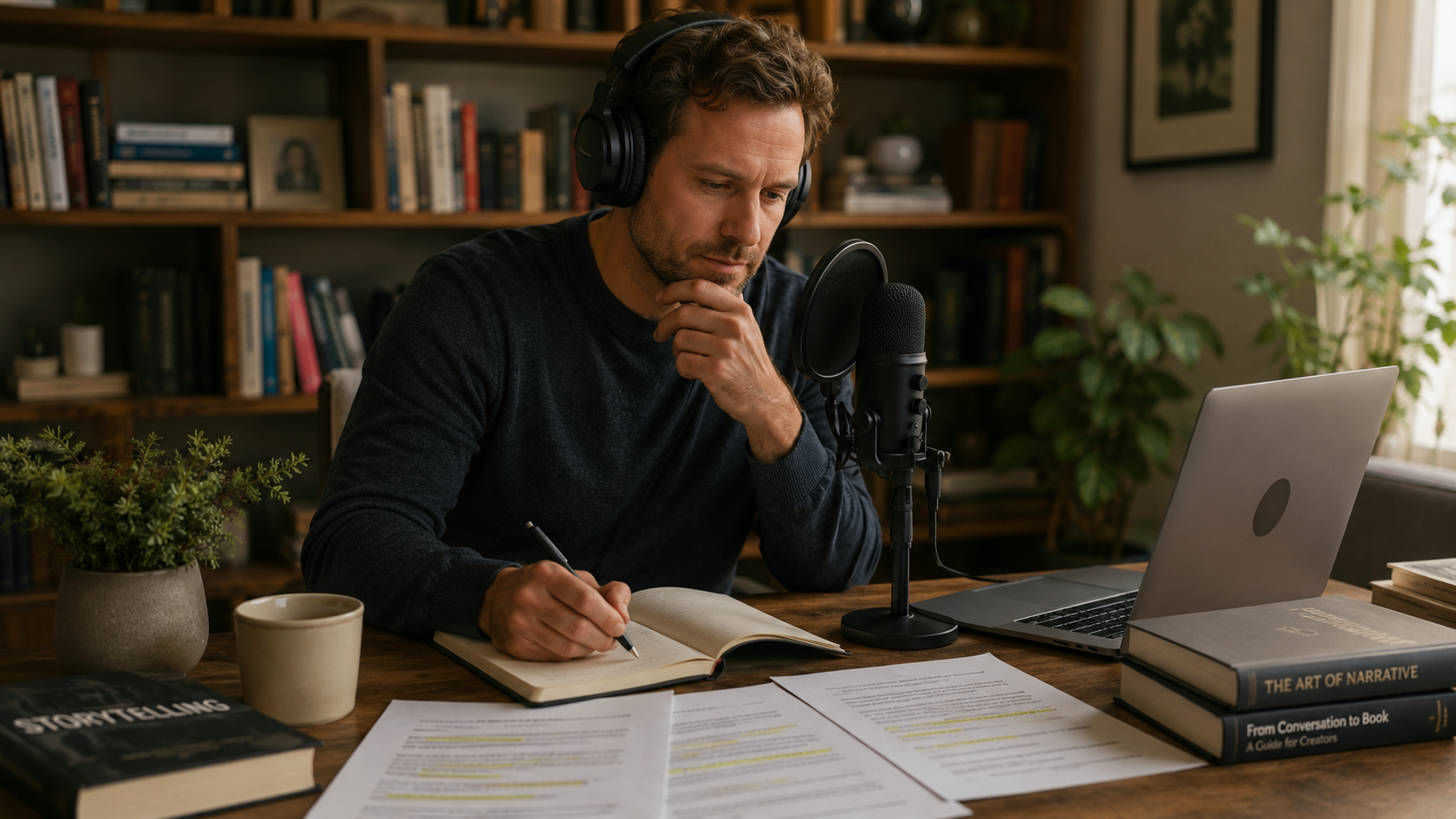
Podcast to book: two different jobs
PodToBook.ai is the clearest specialist in this list. You connect an RSS feed, select episodes, and its AI turns each selected episode into a structured chapter, delivered as a DOCX manuscript. Pricing is fixed per project: $349 for one manuscript from up to 15 episodes, or $997 for three manuscripts from up to 45 episodes. Its site claims 80+ Experts Published. If your back catalogue is already well ordered and you want a draft in your hands without a subscription, that is a legitimate, well-scoped product.
It is worth being precise about what that workflow assumes. One episode becoming one chapter means the book inherits the running order of the feed, along with anything the feed repeats, skips or contradicts, and the process ends at the DOCX. There is no assessment of whether the resulting book works, no proofreading profile, no print files and no publishing preparation.
Your Book Pro treats the same recordings as evidence rather than as a table of contents. Episodes are shaped thematically and by what the argument actually supports, so a chapter may draw on several episodes or none, and material that repeats across the feed is consolidated rather than duplicated. Then the book goes through the stages a manuscript still needs: editorial feedback, advisory source and quotation checks, US or UK proofreading, print-ready files and publishing guidance. Different jobs - and if you have already bought a PodToBook draft, you can upload the DOCX and carry on from there.
What Your Book Pro actually does today
Your Book Pro is an author-controlled book development platform. You dictate, write or upload your manuscript, and it gives book-level guidance: a chapter plan, editorial feedback, beta-reader style reports, advisory checks on sources and quotations, proofreading in US or UK English, and finished output. It does not write your prose, and every substantive suggestion is shown to you before it is applied.
On production specifically, because this changed since the last version of this article: Your Book Pro now generates a complete A4 reading PDF, printer-ready interior pages and a cover master, and lets you order professionally printed copies from inside the app. This is live, not planned.
On interoperability, the honest position: it imports .docx, .doc, .rtf, .pdf, .txt and .md files up to 15 MB, plus native Scrivener .scriv projects. It exports styled Word .docx on Pro, PDF, printer-ready print files, Markdown, plain text and Scrivener projects. Apart from the native Scrivener project round trip, moving between these tools is standard file interoperability rather than a native integration.

How to choose in five minutes
- Stuck at the idea stage: talk it through with a Book Coach before buying anything.
- Drowning in research and scenes: Scrivener.
- Need an outline before you draft: Plottr, or Dabble if you want drafting in the same place.
- Building a world: Campfire.
- Draft finished, no idea if it works: Your Book Pro.
- Structure settled, sentences flabby: ProWritingAid, or AutoCrit for fiction benchmarks.
- Blank scene at midnight: Sudowrite, with disclosure rules in mind.
- A podcast back catalogue and nothing else: PodToBook.ai for a fast episode-per-chapter draft, Your Book Pro if you want the episodes shaped into a book and finished.
- Manuscript done, needs to look like a real book: Vellum on Mac, Atticus everywhere, Reedsy Studio for free.
- Want copies in your hands: Your Book Pro produces the print files and orders the copies.
Frequently asked questions
Is Your Book Pro a replacement for Scrivener?
No. For many authors the best workflow is both: Scrivener for deep project organisation and Your Book Pro for book-level AI guidance. Your Book Pro supports a native Scrivener project ZIP round trip.
Is Your Book Pro an AI ghostwriter?
No. It is designed around author-controlled AI: coaching, analysis, editorial feedback, structuring and source-aware assistance. The author decides what belongs in the book.
Is Reedsy cheaper than Your Book Pro?
Reedsy Studio's core writing and formatting product is free, so for that narrow need it is cheaper. Reedsy Marketplace human services are a different category and can cost thousands per manuscript.
Which tool is best for first-time authors?
A first-time author with a clear manuscript may be happy in Scrivener, Reedsy Studio or Dabble. Someone still discovering the book, who prefers speaking to typing, or who wants a guided path through editing and publishing is closer to Your Book Pro's core use case.
Which tool is best for podcasters?
PodToBook.ai is strongest for rapid automated conversion of up to 15 chosen episodes into an AI-drafted DOCX. Your Book Pro is stronger when the author wants to combine varied sources, discover themes across recordings, control structure and continue through editorial and publishing preparation.
What would it cost to assemble an equivalent book-writing workflow?
Replacing Your Book Pro's toolset with separate specialist software would cost around £1,000 in the first year. Combining software with selected professional editorial, design and publishing services can readily run to around £6,000 for a single 80,000-word book. These are cost and complexity comparisons, not like-for-like equivalents: human professionals provide judgement and services that software cannot, and many authors will not need every item.
Sources
- Your Book Pro pricing (annual Pro)
- Your Book Pro: how to print your book
- Reedsy Studio
- Reedsy
- Reedsy: the cost of editing a book
- Reedsy: book ghostwriter costs
- Companies House: Reedsy Limited filing history
- Literature & Latte (Scrivener)
- ProWritingAid pricing
- AutoCrit pricing
- Sudowrite pricing
- Novlr
- Dabble pricing
- Plottr pricing
- Campfire
- Atticus
- Grammarly plans
- PodToBook.ai
- Descript pricing
- Originality.ai pricing
- Canva Pro pricing
- Perplexity Pro
- UK manuscript critique costs
- UK proofreading costs
- UK manuscript assessment costs
- Reedsy: book cover design costs
- Reedsy: book formatting costs
- Reedsy: book marketing costs
All prices and user figures are the vendors' published claims at the time of writing and may have changed since. Check each vendor's site before buying.